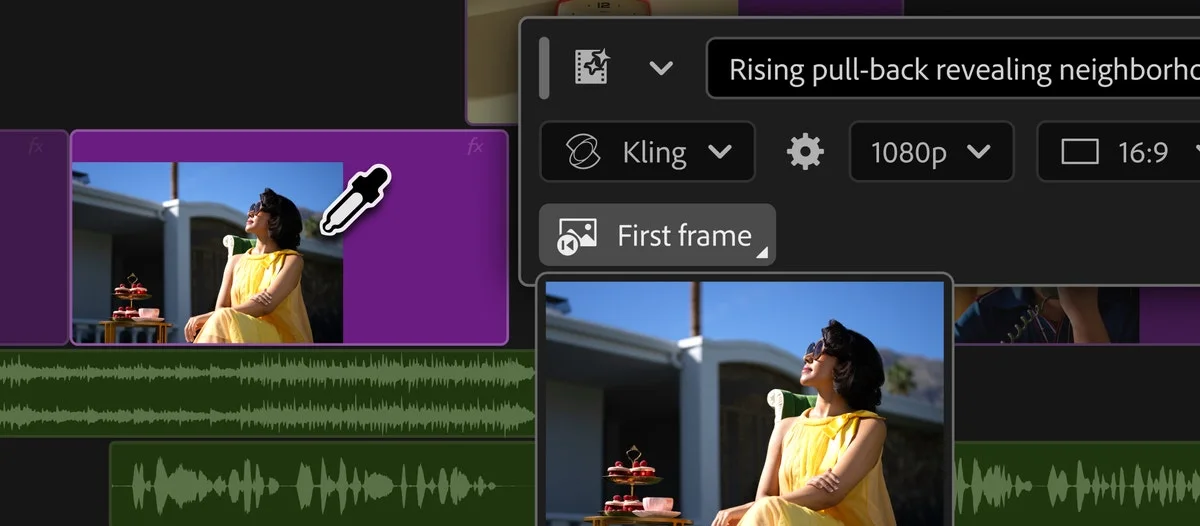
Adobe has placed generative video and audio creation directly inside the Premiere timeline. Editors select a range, describe the required material and choose between Adobe Firefly and partner models including Google Veo, Kling, Runway and Luma. Results return as editable clips rather than flattened external exports.
Generate Video can use surrounding reference frames to fill a visual gap. Generate Sound Effects accepts voice guidance for timing and intensity, while beta Soundscape analyses up to 15 seconds of picture to build layered ambience. Generate Music supplies variations with tempo and loop controls.
New audio tools separate overlapping speakers, rebalance dialogue, music, ambience and effects, and automate ducking without keyframes. Frame.io Mounted Storage is also available to all accounts, allowing full-resolution cloud media to stream into a sequence without a manual download.
Several functions remain in beta, and Adobe has not published quality benchmarks, compute costs or a universal rights description for every partner model. Editorial teams will need provenance, approval and replacement policies for generated elements, particularly where factual footage or rights-sensitive music is involved.